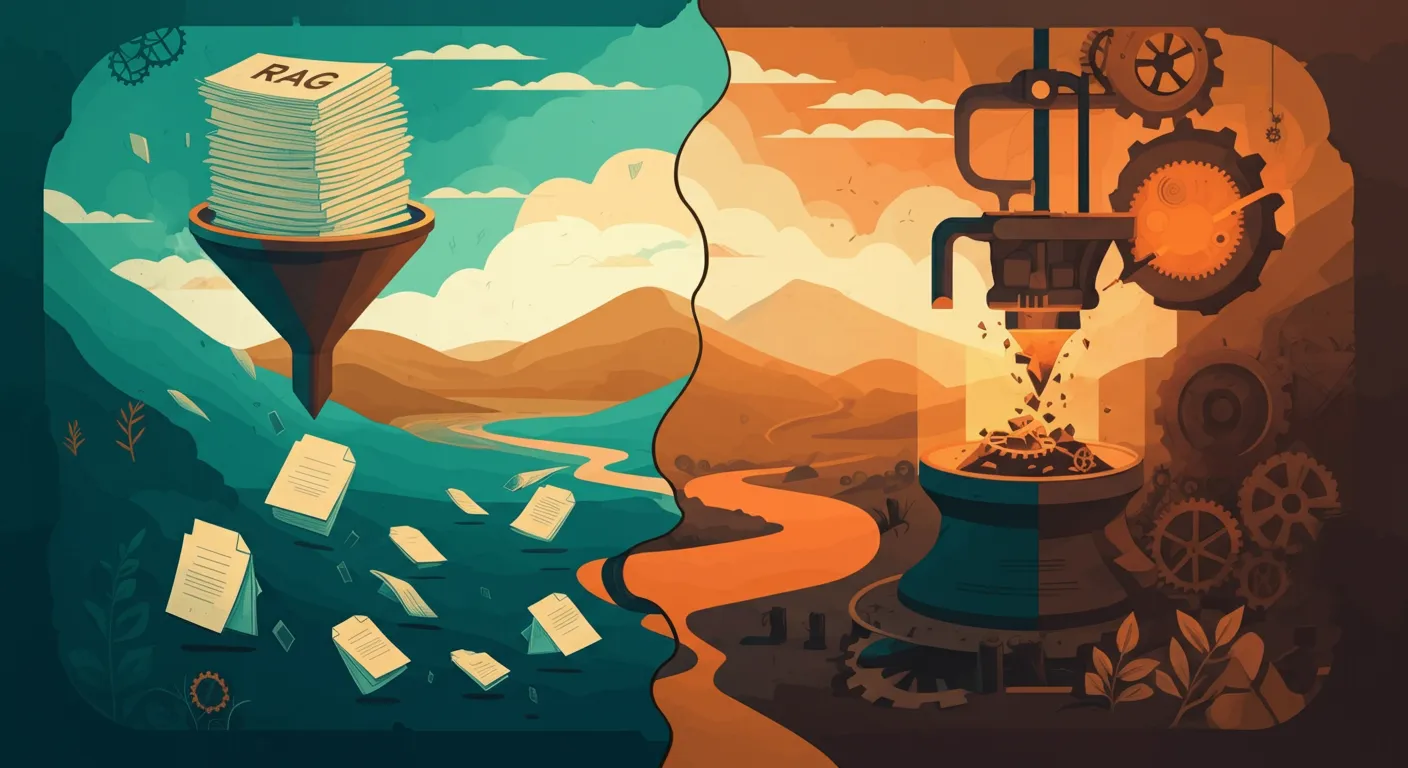
Retrieval-Augmented Generation (RAG) is the most practical way to make a large language model useful with your data. Instead of fine-tuning a model or stuffing everything into the prompt, RAG retrieves the most relevant documents at query time and hands them to the model as context. The result: accurate, grounded answers that cite your sources — not hallucinated fiction.
This guide walks you through every layer of a RAG system, from document ingestion to production deployment, so you can build one that actually works. Whether you are building an internal knowledge assistant, a customer-facing support bot, or a research tool, the same principles apply.
What RAG Is (and What It Is Not)
RAG is an architecture pattern that combines information retrieval with text generation. When a user asks a question, the system searches a knowledge base for relevant passages, then feeds those passages to an LLM along with the question. The model generates an answer grounded in the retrieved context.
Think of it this way: the LLM is the brain, but RAG gives it the ability to open a filing cabinet and read the right folder before answering. Without RAG, the model can only rely on what it memorised during training — which may be outdated, incomplete, or entirely missing your proprietary data.
RAG is not:
- A product you install. It is a design pattern you implement on top of existing components (embedding models, vector databases, LLMs). There are frameworks that accelerate the process, but you still need to understand the pieces.
- Fine-tuning. Fine-tuning changes the model's weights permanently; RAG leaves the model untouched and changes what context it sees at inference time. Fine-tuning teaches the model new behaviours or styles, while RAG gives it access to new information. For a deeper comparison, see our post on RAG vs fine-tuning.
- A magic fix for bad data. If your source documents are outdated, contradictory, or poorly written, your RAG answers will be too. The quality ceiling of a RAG system is the quality of its knowledge base.
- Just "search plus GPT." A production RAG system involves careful chunking, re-ranking, citation tracking, evaluation, and access control — far more than a naive similarity search bolted onto a chat interface.
Why RAG Matters Now
Two developments made RAG the dominant pattern for enterprise AI:
- Context windows grew, but costs and latency grew with them. You could dump 200K tokens of documentation into every prompt, but that costs money and slows responses. RAG retrieves only the 5-10 most relevant passages, keeping context tight and costs low.
- Embedding models got dramatically better. Models like text-embedding-3-large and Voyage-3 understand meaning well enough that retrieval actually works — you get the right passages, not just keyword-adjacent ones.
Architecture Walkthrough
A complete RAG pipeline has six stages. Understanding each one helps you make better design decisions and avoid the pitfalls that derail most first implementations.
Stage 1: Document Ingestion
Raw data enters the pipeline. This could be PDFs, Word documents, web pages, Confluence wikis, Notion databases, Slack transcripts, Google Drive files, or API responses. An ingestion layer normalises everything into clean text (or structured markdown) while preserving metadata — document title, author, date, section headings, page numbers, and any custom attributes relevant to your domain.
Common tools: Unstructured.io, LlamaIndex document loaders, Apache Tika, custom parsers for proprietary formats.
Key decisions:
- Scheduling: Do you ingest nightly, on a webhook trigger, or in real time? The freshness requirement depends on how quickly your source data changes.
- Deduplication: If the same content exists in multiple systems (a policy document in Confluence and on SharePoint), decide which source of truth wins.
- Metadata extraction: Capture everything you might want to filter on later — department, document type, date range, product line. Adding metadata later means re-processing all your documents.
Tip: Preserve document structure. A heading hierarchy lets you create smarter chunks later and improves citation accuracy. Stripping all formatting into flat text throws away valuable structural signals.
Stage 2: Chunking
You cannot embed an entire 80-page PDF as a single vector — it would dilute the signal, and most embedding models have context window limits anyway. Chunking splits documents into smaller passages that are meaningful on their own.
This is the step that most teams underestimate, and it is often the single biggest lever for improving RAG quality.
Chunking Strategies
| Strategy | How It Works | Best For |
|---|---|---|
| Fixed-size | Split every N tokens with M-token overlap | Quick prototypes, uniformly structured text |
| Recursive / character | Split on paragraphs, then sentences, then words, respecting a max size | General-purpose — the default in LangChain and LlamaIndex |
| Semantic | Use an embedding model to detect topic shifts and split at natural boundaries | Long-form content with varied topics, research papers |
| Document-aware | Split on markdown headings, HTML sections, or LaTeX chapters, keeping structural context | Technical docs, legal contracts, knowledge bases |
In practice, document-aware chunking delivers the best results for structured content, while recursive chunking with 512-token chunks and 64-token overlap is a solid default for unstructured text.
Common mistake: Chunks that are too small lose context; chunks that are too large dilute relevance. Start with 512 tokens for general content, 256 for dense technical documentation, and experiment from there. Always include overlap (10-15 % of chunk size) so that ideas split across a boundary are still captured.
Advanced technique: parent-child chunking. Embed small chunks for precise retrieval, but when a chunk matches, retrieve the larger parent section for generation context. This gives you the best of both worlds — precise matching with rich context.
Stage 3: Embedding
Each chunk is converted into a dense vector (a list of numbers) that captures its semantic meaning. Similar meanings produce similar vectors, which is what makes retrieval work. When a user asks "What is our refund policy?", the embedding of that question will be close to the embedding of the chunk that describes your refund policy — even if the chunk never uses the word "refund" but instead says "return and reimbursement procedure."
Embedding Models Worth Considering
| Model | Dimensions | Context Window | Notes |
|---|---|---|---|
| text-embedding-3-large (OpenAI) | 3,072 | 8,191 tokens | Strong general-purpose; supports dimension reduction via the dimensions parameter for storage savings |
| Voyage-3 (Voyage AI) | 1,024 | 32,000 tokens | Excellent for code and technical content; long context window handles large chunks |
| Cohere Embed v4 | 1,024 | 512 tokens | Built-in multilingual support across 100+ languages; strong for search and classification |
| BGE-M3 (open source) | 1,024 | 8,192 tokens | Strong open-source option; supports dense, sparse, and multi-vector retrieval in one model |
| Gemini Embedding 2 (Google) | 768 | 2,048 tokens | Competitive quality with generous rate limits; strong integration with the Google Cloud ecosystem |
| Gemini Embedding 2 (Google) | 768 | 2,048 tokens | Competitive quality with generous rate limits; strong integration with the Google Cloud ecosystem |
For most business applications, text-embedding-3-large offers the best balance of quality and ecosystem support. If you work with multilingual content (as we often do for European clients), Cohere Embed v4 or BGE-M3 are worth benchmarking. For codebases and technical documentation, Voyage-3 consistently outperforms alternatives.
Important: Once you choose an embedding model, you are committed. Switching models later means re-embedding your entire corpus because vectors from different models are not compatible. Choose carefully and benchmark with your actual data before committing.
Stage 4: Vector Database
Embeddings need to live somewhere they can be searched efficiently. A vector database stores your vectors alongside their metadata and performs fast approximate nearest-neighbour (ANN) search to find the most similar vectors to a query.
Vector Database Options
| Database | Type | Highlights |
|---|---|---|
| pgvector | PostgreSQL extension | No new infrastructure if you already run Postgres; good up to a few million vectors; familiar SQL interface |
| Pinecone | Managed cloud service | Zero-ops, fast, scales automatically; metadata filtering built in; serverless tier available |
| Qdrant | Self-hosted or cloud | Rich filtering, payload storage, excellent documentation; Rust-based for performance |
| Weaviate | Self-hosted or cloud | Hybrid search built in, GraphQL API, multi-modal support |
| Chroma | Lightweight / embedded | Great for prototyping and local development; Python-native |
Our recommendation: Start with pgvector if you already use PostgreSQL — it keeps your stack simple and handles most workloads up to 5 million vectors comfortably. You get the benefit of ACID transactions, familiar tooling, and no new infrastructure to manage. Move to a dedicated vector database like Qdrant or Pinecone when you need sub-10ms latency at scale, advanced filtering, or you are working with tens of millions of vectors.
For a detailed look at scaling vector search in production, see our guide on scaling RAG to production.
Stage 5: Retrieval
When a user asks a question, the system embeds the query with the same model used for documents, searches the vector database for the top-K most similar chunks, and (optionally) re-ranks the results before passing them to the LLM.
Hybrid Search: Semantic + BM25
Pure vector search is powerful but can miss exact keyword matches — a problem when users search for product codes, legal clause numbers, error messages, or specific technical terms. Hybrid search combines two complementary approaches:
- Semantic search (vector similarity) — finds conceptually related passages even when wording differs. Great for natural-language questions.
- BM25 / keyword search — finds exact term matches with TF-IDF-style scoring. Great for precise identifiers, codes, and domain-specific jargon.
Results from both methods are fused using Reciprocal Rank Fusion (RRF) or a learned re-ranker. In our experience, hybrid search improves answer relevance by 15-30 % over pure semantic search, especially for domain-specific corpora with specialised vocabulary. The improvement is even larger when users mix natural language with specific codes or identifiers in their queries.
How to implement it: pgvector supports semantic search natively. For BM25, use PostgreSQL full-text search (tsvector/tsquery) alongside pgvector in the same database. Qdrant, Weaviate, and Pinecone all offer built-in hybrid search.
Re-Ranking
A re-ranker takes the top 20-50 candidates from the initial retrieval and scores them more carefully using a cross-encoder model that sees both the query and the document together. Initial retrieval is fast but approximate (it compares vectors independently); re-ranking is slower but much more precise (it compares query-document pairs jointly).
This two-stage approach gives you the speed of vector search with the precision of a cross-encoder. Cohere Rerank v3, cross-encoder models from Hugging Face, and ColBERT-based models are the most popular choices.
Practical impact: In our benchmarks, adding a re-ranker consistently improves answer quality by 10-20 %, measured by retrieval recall at K=5. The latency cost is typically 50-100ms — well worth it.
Stage 6: Generation
The retrieved (and re-ranked) passages are injected into the LLM prompt as context, along with the user question and system instructions. The model generates an answer grounded in the provided context.
Good prompts instruct the model to:
- Only answer from the provided context — do not use prior knowledge.
- Say "I don't know" or "The available documents don't cover this" when the context does not contain the answer. This is critical for trust.
- Cite specific documents or passages, ideally with document names and page numbers so users can verify.
- Maintain a consistent tone, format, and level of detail appropriate for your audience.
- Handle multi-part questions by addressing each part systematically.
Prompt engineering tip: Include a brief description of the document types in your system prompt. Telling the model "You are answering based on our internal engineering documentation and API guides" helps it set appropriate expectations and tone.
Common Pitfalls
Even well-architected RAG systems can fail in subtle ways. Here are the mistakes we see most often, along with how to avoid them:
-
Garbage in, garbage out. If your source documents are messy, outdated, or contradictory, no amount of clever retrieval will save you. Invest in data quality before you invest in infrastructure. Run a content audit: delete stale docs, merge duplicates, and fill gaps.
-
Chunking mismatches. Chunks that are too small strip away context and produce answers that feel random. Chunks that are too big dilute relevance so the model latches onto the wrong section. Test multiple sizes with real queries and measure retrieval recall.
-
Embedding and query mismatch. If your documents are technical but your users ask casual questions (or vice versa), the semantic gap hurts retrieval. Consider query rewriting (use an LLM to rephrase the user question into document-like language) or HyDE (Hypothetical Document Embedding), where the model first generates a hypothetical answer and you embed that instead.
-
Ignoring metadata filters. A user asking about "2024 Q3 revenue" should not retrieve chunks from 2022. Use metadata (dates, document types, departments, product lines) to pre-filter before vector search. This is both a relevance and a security concern.
-
No evaluation framework. You cannot improve what you do not measure. Build a test set of question-answer pairs from day one and track retrieval recall (did the right chunks appear in the top K?), answer correctness (is the answer factually right?), and faithfulness (does the answer contradict or go beyond the sources?).
-
Over-relying on top-1 retrieval. The best answer is not always in the single most similar chunk. Retrieve 5-10 chunks and let the LLM synthesise across them. Some questions require combining information from multiple documents.
-
Skipping re-ranking. Initial ANN retrieval is fast but approximate. A re-ranker consistently improves answer quality for a small latency cost. If you only implement one "advanced" technique, make it re-ranking.
-
Neglecting access control. In enterprise settings, different users should see different documents. If your RAG system does not enforce document-level permissions, you have a data leak waiting to happen. Implement row-level security on your vector store metadata.
Production Checklist
Before you go live, make sure you have covered these essentials:
- Data pipeline — automated ingestion that keeps your knowledge base fresh (daily sync, webhook-triggered, or real-time).
- Chunking tested — you have benchmarked at least two chunking strategies against real user queries and measured retrieval quality.
- Embedding model benchmarked — you have tested with your actual data, not just trusted leaderboard scores.
- Hybrid search enabled — both semantic and keyword retrieval contribute to results.
- Re-ranking in place — a cross-encoder or Cohere Rerank sits between retrieval and generation.
- Evaluation dataset — at least 50 question-answer pairs with ground-truth answers for ongoing regression testing.
- Citation tracking — every generated answer links back to source chunks so users can verify claims.
- Guardrails — the system declines to answer when confidence is low rather than hallucinating plausible-sounding fiction.
- Monitoring and observability — you track retrieval latency, LLM token usage, user satisfaction signals, answer quality scores, and error rates.
- Access control — users only retrieve documents they are authorised to see (row-level security on metadata).
- Cost controls — token budgets, caching of frequent queries, rate limiting, and alerts on unexpected usage spikes.
- Feedback loop — a mechanism for users to flag bad answers, which feeds back into your evaluation dataset and triggers data quality improvements.
Framework Options
You do not have to build every component from scratch. Two frameworks stand out for production RAG:
- LlamaIndex Workflows — purpose-built for RAG, with production-ready document loaders, chunking strategies, retrieval modules, and evaluation tools. If RAG is your primary use case, LlamaIndex Workflows provides the most complete out-of-the-box experience.
- LangGraph — a graph-based workflow orchestration framework (separate from LangChain) that excels when your RAG pipeline includes conditional logic, human-in-the-loop review, or multi-step reasoning chains.
Both frameworks let you swap embedding models, vector databases, and LLM providers without rewriting your pipeline. Start with a framework if you want to move fast; drop down to custom code when you need maximum control over a specific layer.
Framework Options
You do not have to build every component from scratch. Two frameworks stand out for production RAG:
- LlamaIndex Workflows — purpose-built for RAG, with production-ready document loaders, chunking strategies, retrieval modules, and evaluation tools. If RAG is your primary use case, LlamaIndex Workflows provides the most complete out-of-the-box experience.
- LangGraph — a graph-based workflow orchestration framework (separate from LangChain) that excels when your RAG pipeline includes conditional logic, human-in-the-loop review, or multi-step reasoning chains.
Both frameworks let you swap embedding models, vector databases, and LLM providers without rewriting your pipeline. Start with a framework if you want to move fast; drop down to custom code when you need maximum control over a specific layer.
Next Steps
If you are planning a RAG system and want to skip the months of trial and error, our RAG systems service covers architecture design, implementation, and ongoing optimisation. For teams that already have a basic RAG pipeline and need to scale it, our guide on scaling RAG to production dives into performance tuning, multi-tenancy, and evaluation frameworks.
RAG is not a weekend project — but it is the single most effective pattern for making LLMs genuinely useful with your own data. Get the foundations right and you will have a system that gets smarter as your knowledge base grows, costs a fraction of what fine-tuning would, and delivers answers your users actually trust.